What is OpenClaw (Moltbot / Clawdbot)? Step-by-Step Guide to Setup OpenClaw AI Assistant
If you have been following developer chats, Hacker News, or the AI forums on the web, you have likely run into the latest hype of OpenClaw (Formerly Moltbot, Clawdbot). People are talking about it as a practical, action-taking assistant that lives where you already communicate.
In this detailed guide on OpenClaw (Previously Moltbot or Clawdbot), I will explain what OpenClaw is, why it suddenly matters, how it works, top use cases, the security trade offs, and a clear step-by-step setup you can follow. I will also give you a practical security checklist so you can run Clawdbot safely.
Table of Contents
What is OpenClaw (Moltbot/Clawdbot)?
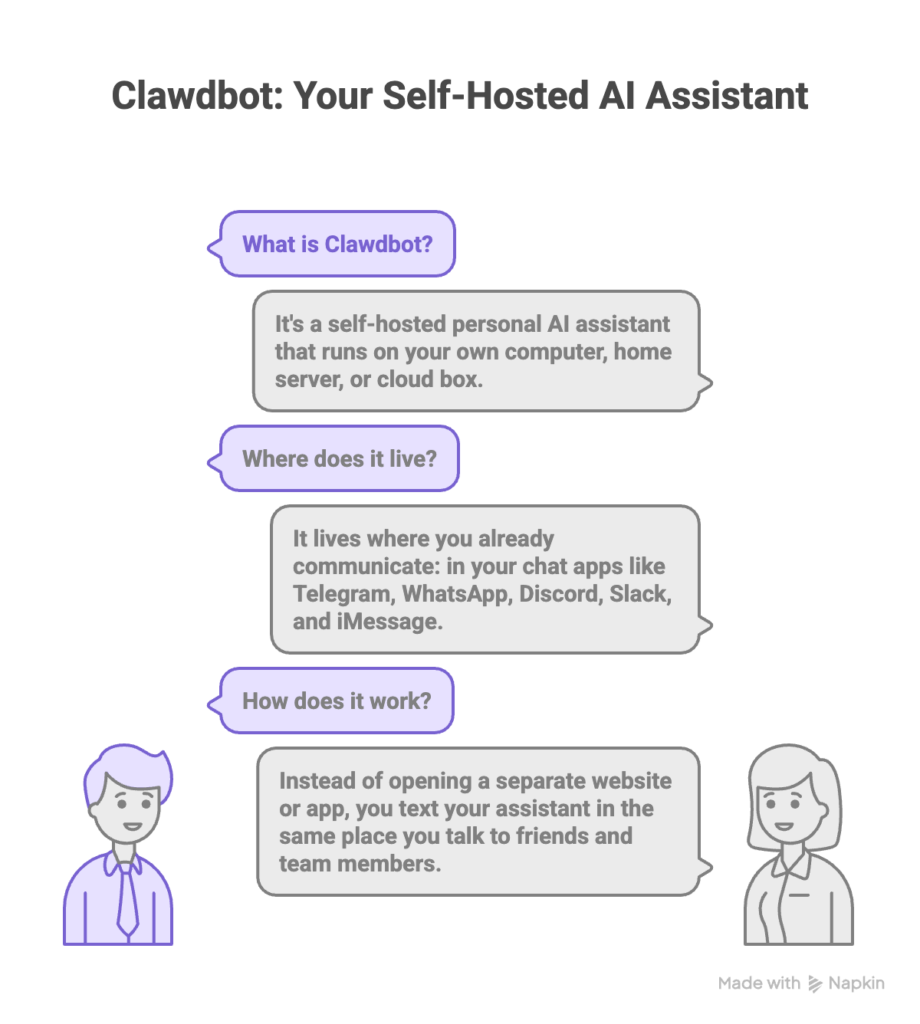
Clawdbot is a self-hosted personal AI assistant. That means you run it on your own computer, home server, or cloud box. It does not have to live on someone else’s website. The key idea is that it lives where you already communicate: in your chat apps. You can talk to it in Telegram, WhatsApp, Discord, Slack, iMessage, and other messaging platforms. Instead of opening a separate website or app to get help, you text your assistant in the same place you talk to friends and team members.
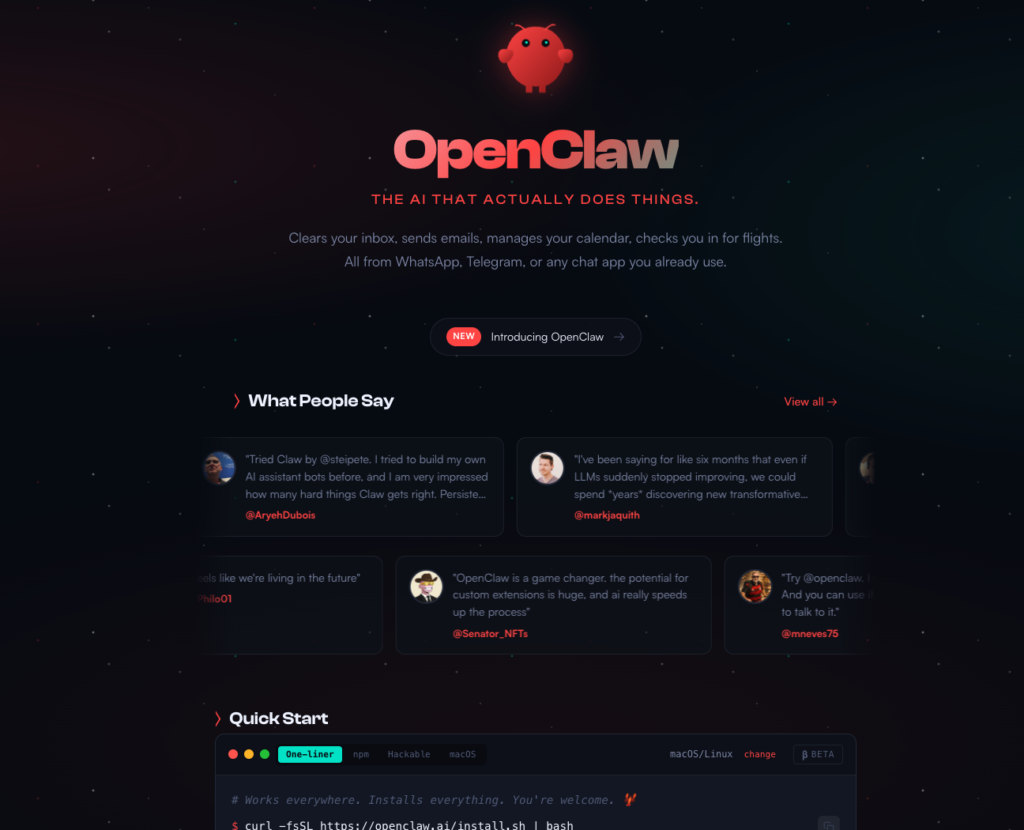
Clawdbot is more than a chatbot. It is built to act. It can send messages, schedule reminders, clean up email, run scripts on your machine if you allow it, and automate everyday tasks. It stores context and remembers things about you across sessions. It is open source, which means its code is available for inspection and modification. That combination of control, integration, and action is why many people find it compelling.
Clawdbot Features
- 📱 WhatsApp Integration — Uses Baileys for WhatsApp Web protocol
- ✈️ Telegram Bot — DMs + groups via grammY
- 🎮 Discord Bot — DMs + guild channels via channels.discord.js
- 🧩 Mattermost Bot (plugin) — Bot token + WebSocket events
- 💬 iMessage — Local imsg CLI integration (macOS)
- 🤖 Agent bridge — Pi (RPC mode) with tool streaming
- ⏱️ Streaming + chunking — Block streaming + Telegram draft streaming details (/concepts/streaming)
- 🧠 Multi-agent routing — Route provider accounts/peers to isolated agents (workspace + per-agent sessions)
- 🔐 Subscription auth — Anthropic (Claude Pro/Max) + OpenAI (ChatGPT/Codex) via OAuth
- 💬 Sessions — Direct chats collapse into shared
main(default); groups are isolated - 👥 Group Chat Support — Mention-based by default; owner can toggle
/activation always|mention - 📎 Media Support — Send and receive images, audio, documents
- 🎤 Voice notes — Optional transcription hook
- 🖥️ WebChat + macOS app — Local UI + menu bar companion for ops and voice wake
- 📱 iOS node — Pairs as a node and exposes a Canvas surface
- 📱 Android node — Pairs as a node and exposes Canvas + Chat + Camera
Why is Clawdbot suddenly everywhere?
Clawd bot did not win attention because of slick marketing. It spread because it solves a practical problem in a new way.
Also, Peter Steinberger the maker of Clawdbot was the co-founder of PSPDFKit (now nutrient.io), is prominent on Github and X (@steipete) and an active voice in the AI development community, blending decades of engineering experience with cutting-edge agent-driven workflows.
Here are the main reasons it climbed fast.
- It lives where people already communicate.
Most AI tools ask you to adopt new apps or new habits. Clawdbot fits into your existing chat workflow, which makes it easier to use every day. - It does real work, not just chat.
Beyond answering questions, Clawdbot can act: it can send an email, schedule a meeting, create a reminder, or trigger an automation. People find that actionability changes the value of the assistant. - It is self-hosted and privacy minded.
For anyone who cares about sensitive data, the fact that you control where the assistant runs and what it can access is a major draw. - It is open and extensible.
There is a community building skills and integrations. That means new capabilities arrive fast and you can customize behavior. - Social proof and demos.
As people shared screenshots and stories of practical tasks Clawdbot did, attention grew quickly. Developer communities picked it up, then wider tech writers and social posts followed.
Put simply, Clawdbot hits a sweet spot: it is useful, private, and easy to adopt because it lives in the apps people already use.
How does Clawdbot work? A simple, practical explanation
At a high level Clawdbot has three parts: the control layer you run, the AI models it calls, and the integrations that let it interact with apps.
- Control layer
This is the process or daemon you run on your machine or server. It receives messages from configured chat apps, decides what to do, keeps memory, and dispatches actions. Think of it as the assistant’s brain. - AI models
Clawdbot does not force you to use one single provider. You can connect it to hosted model providers such as OpenAI or Anthropic, or to local models that run on your hardware. The control layer sends prompts to the model, receives answers, and maps those answers to actions. - Integrations and tools
These are the connectors or channels that let Clawdbot speak and act in the real world. Integrations include messaging bridges (WhatsApp, Telegram, Slack), email and calendar hooks, browser automation, script runners, and plugin systems for custom skills.
How messages flow in a typical interaction
- You send a message in WhatsApp that mentions the assistant.
- The messaging bridge forwards that message to the control layer on your machine.
- The control layer decides whether to pass the text to the AI model, consult memory, or run a local skill.
- The AI model returns text or structured instruction.
- The control layer either replies in chat or executes a permitted action, such as scheduling an event or running a script.
Because the control layer and integrations run where you choose, you decide how much power to grant the assistant.
Top use cases for Clawdbot
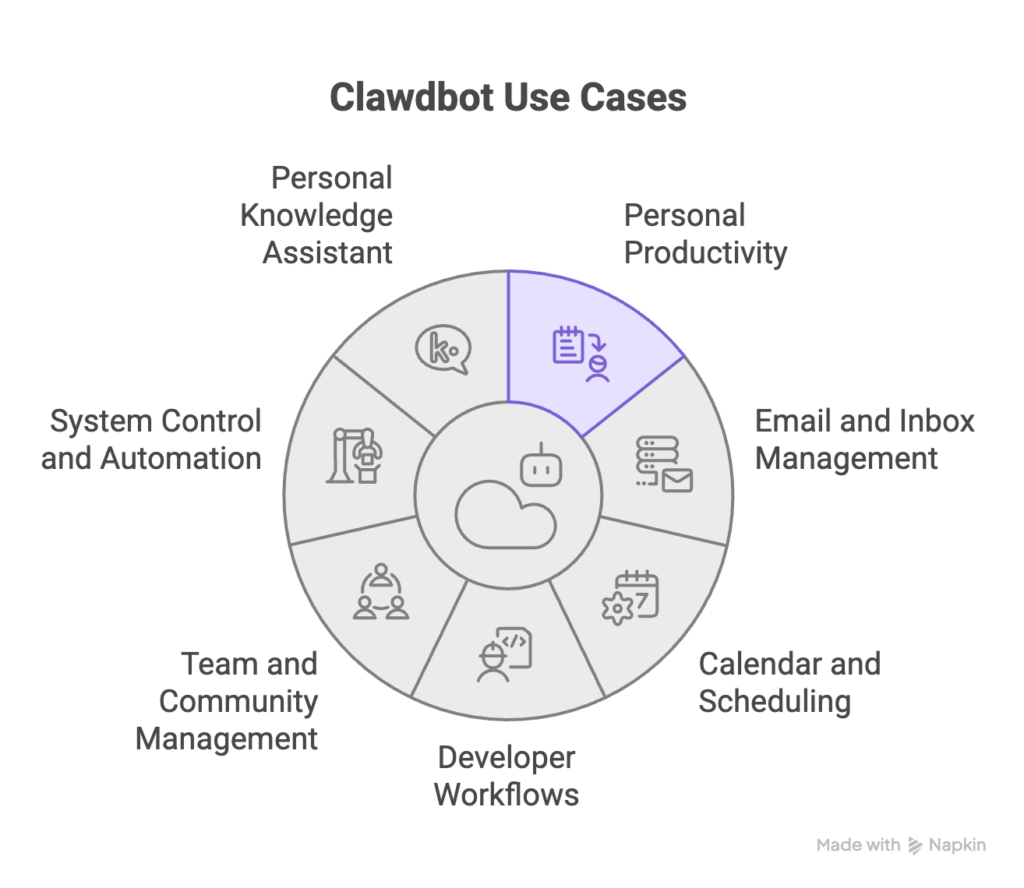
Clawdbot can be tailored to many needs. Here are the most common and useful ways people use it.
Personal productivity
- Daily briefings and to do reminders.
- Quick notes or searchable personal snippets.
- Short research summaries or links saved to a personal knowledge base.
Email and inbox management
- Draft replies on your behalf for approval.
- Sort and label emails, and surface only the important ones.
- Automated cleanup of newsletters or low priority mail.
Calendar and scheduling
- Create and accept meeting invites.
- Find free time and propose slots.
- Remind you with contextual messages.
Developer workflows
- Notify team channels when a deploy completes.
- Create or triage GitHub issues from chat.
- Run diagnostic commands and report results back to chat.
Team and community management
- Auto respond to common questions in a server or group.
- Post scheduled updates across multiple channels.
- Moderate discussions with configurable rules.
System control and automation
- Run local scripts (backup, data export) when you ask.
- Automate browser tasks such as filling forms or scraping pages.
- Trigger integrations with third party services based on patterns in chat.
Personal knowledge assistant
- Maintain long term memory of preferences and projects.
- Keep follow ups and next steps attached to conversations.
- Act like a persistent context layer so you do not have to remind the assistant each time.
Because Clawdbot can be extended with community skills, new use cases appear quickly. The important point is that Clawdbot moves from answering questions to taking actions that save time.
How Clawdbot architecture expands your attack surface
The assistant is powerful because it connects language understanding to real actions. That same power creates new entry points that attackers can exploit via Phishing attacks or other form of attacks.
What is an attack surface?
The attack surface is the set of ways someone can interact with and influence your system. Each bridge, integration, permission, and network endpoint increases this surface.
Where Clawdbot adds risk?
Anyone who can send messages to the assistant is providing input. If you let the assistant read group chat logs or public channels, malicious users could craft messages that aim to trick the AI or trigger unwanted actions.
Web browsing and fetching
If Clawdbot can open web pages or fetch remote content to answer queries, it may ingest untrusted text. That text can contain instructions designed to manipulate the AI into performing harmful actions or revealing secrets.
Tool and script access
The biggest risk arises when Clawdbot can run commands, edit files, or interact with system services. If the assistant is compromised or misled, those abilities can be used to escalate damage quickly.
Model-based risks
The AI model itself can be influenced through carefully crafted prompt injections. A prompt injection is an attacker-controlled piece of text that tells the model to ignore previous instructions or to reveal sensitive data. Because models follow the instructions they receive, unfiltered content can be dangerous.
Credential exposure
When Clawdbot connects to external services, it often needs tokens or API keys. If those credentials are stored improperly or leaked via logs or chat messages, an attacker can abuse them.
Network exposure
Running Clawdbot on a server that is reachable from the internet without proper protections can expose the control plane to scanning and attacks.
Combined effect
All of these channels combine. For example, a message in a public channel could contain a link to a malicious page. If Clawdbot is allowed to fetch that link and the content contains a prompt injection, the assistant might be tricked into revealing an API key or running a local script. That is how small weaknesses can chain into larger breaches.
Cyber security implications of setting up and using Clawdbot
Clawdbot is not insecure by design. However, because it can act, you must treat it like a system administrator would treat any privileged tool. There are 350+ open issues on Clawdbot’s Github, which should raise concerns as of now for using it with data access and priviledges.
Here’s a complete guide on Moltbot Security that covers the publicly reported security issues and how you can mitigate them.
Here are the main implications and practical mitigations.
Principles to follow for Cybersecurity on AI Assistants
- Least privilege first
Only give Clawdbot the minimum access it needs. If it does not need to write files, do not allow file write. If it does not need to run scripts, disable that feature. - Use manual approval for high risk actions
Require human confirmation for any action that modifies systems, sends messages to groups, or uses high privilege keys. - Separate duties and environments
Run Clawdbot for lower risk tasks on a machine that does not hold your most sensitive keys or data. For critical automations, use a separate environment with stricter rules. - Audit and logging
Record what the assistant does. Logs help you spot anomalies and understand what happened when something goes wrong. Protect logs from tampering. - Rotate and protect credentials
Store API keys in secure stores and rotate them regularly. Avoid putting secrets in plain text config files or chat history. - Input sanitization and content handling
Treat external content as untrusted. Do not automatically pass web content into model prompts without filtering and sanitizing.
Detailed risk and mitigation checklist for AI Assistants
- Messaging exposure
Risk – A stranger can send a crafted message that triggers a harmful action.
Mitigation – Require pairing or approval for new chat contacts. Restrict the assistant to specific chats or whitelist users. - Prompt injection from web content
Risk – Malicious web content manipulates the model to reveal data or execute actions.
Mitigation – Disable automatic browsing. Use strict content parsing and remove suspicious markers before consulting the model. - Script and command execution
Risk – The assistant runs unsafe commands.
Mitigation – Put all executable actions behind a manual approval gate. Use containers or sandboxed environments for any script execution. - Credential leakage
Risk – Keys exposed in logs or outputs.
Mitigation – Mask secrets in outputs. Do not print credentials to chat. Use vaults or environment stores for keys. - Compromised model provider
Risk – Third party model provider is compromised and data is leaked.
Mitigation – Limit what data you send to hosted models. If you need to send sensitive data, prefer local models or encrypted channels. - Network exposure
Risk – Running Clawdbot on an open server invites scanning and attack.
Mitigation – Use firewalls, require authentication, and avoid exposing control ports to the public internet. - Social engineering inside team chats / Human Risk
Risk – Someone in your team account can ask the assistant to perform risky actions.
Mitigation – Implement role based limits. Require human approval for actions that affect many people or production systems. - Supply chain risk from skills and plugins
Risk – Third party skills include malicious code.
Mitigation – Audit plugin source code before installing. Use signed or vetted skill repositories when possible.
Step-by-Step Guide to Set Up Clawdbot
Below is a detailed guide to get started with Clawdbot. I will keep steps generic enough to apply to typical environments. Follow project documentation for the latest exact commands if needed.
Step 1: Choose where to run Clawdbot
Decide whether to run on your laptop, a spare mini PC, a home server, or a small cloud VPS. For learning, a local machine is fine. For 24/7 availability you may use a small cloud instance.
Step 2: Install runtime prerequisites
Make sure your environment has a recent node or the runtime required by the project. Install git, and any system dependencies suggested in the project docs.
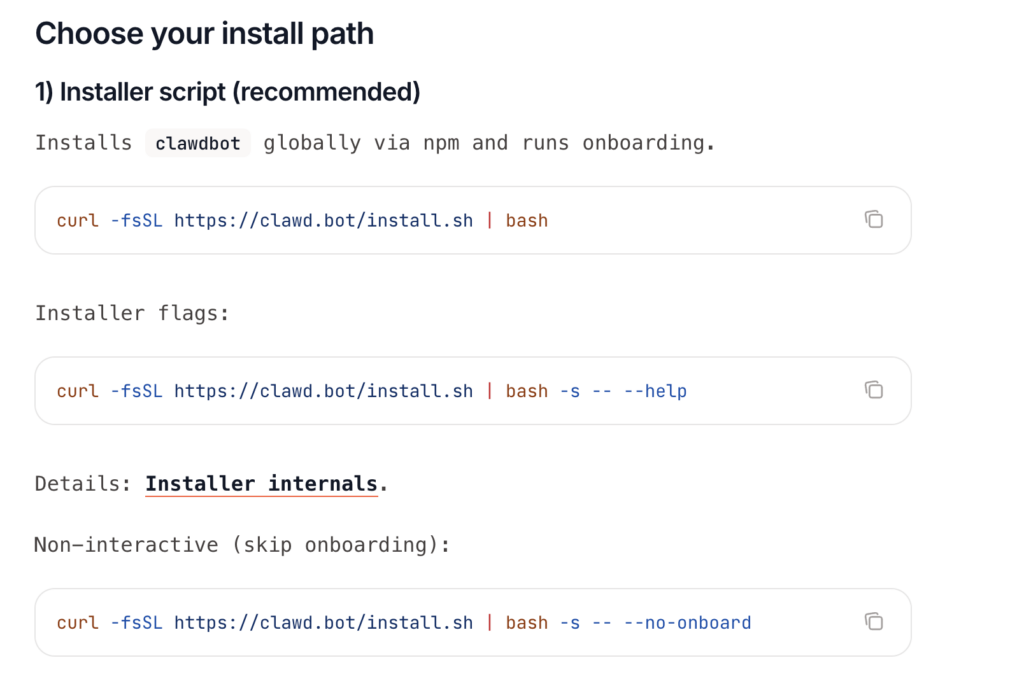
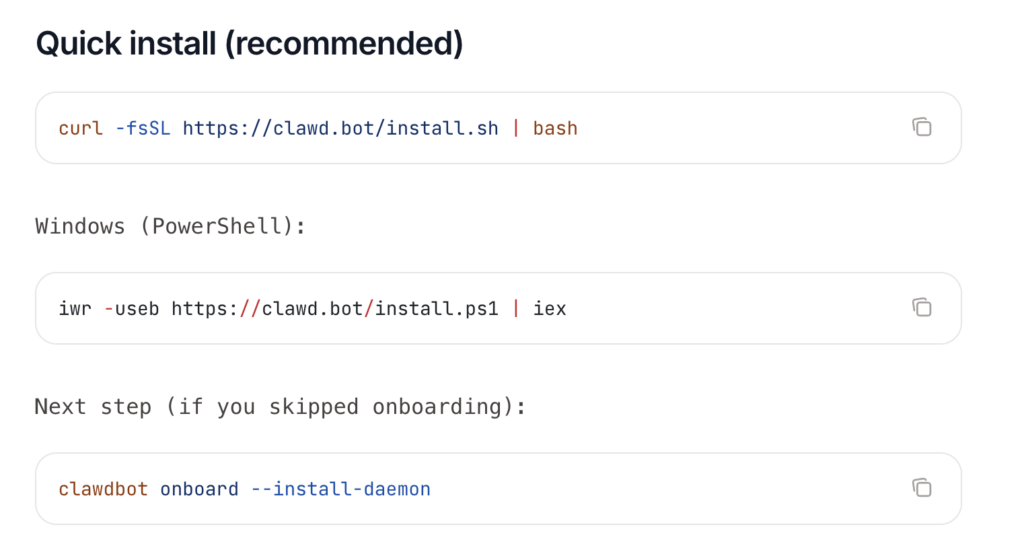
Step 3: Install Clawdbot
There are quick install methods. A common pattern is to use an installer or package manager to put the main control process on your system. After install, you will have a command line tool to manage the assistant.
Other install options
Step 4: Run the onboarding flow
The onboarding will help you configure the assistant, set up storage for memory, and define which providers you will use for models. During onboarding you will add API keys for the LLM provider or select a local model.
- Run onboarding:
clawdbot onboard --install-daemon - Quick check:
clawdbot doctor - Check gateway health:
clawdbot status+clawdbot health - Open the dashboard:
clawdbot dashboard
Step 5: Pair messaging apps
Follow the connector instructions to pair channel bridges such as Telegram or Slack. This typically involves scanning a QR code or following a manual pairing process.
You can talk to Clawdbot on any supported chat app of your choice.
Quick Clawdbot WhatsApp setup (beginner)
- Use a separate phone number if possible (recommended).
- Configure WhatsApp in
~/.clawdbot/clawdbot.json. - Run
clawdbot channels loginto scan the QR code (Linked Devices). - Start the gateway.
{
  channels: {
    whatsapp: {
      dmPolicy: "allowlist",
      allowFrom: ["+15551234567"]
    }
  }
}
Step 6: Configure permissions and rules
Before enabling automations, set explicit rules about which chats the assistant can read or write to. Disable broad access to group chats until you are comfortable.
Step 7: Add skills intentionally
Install one or two skills that you need. For example, an email triage skill or a calendar skill. Test each one carefully with non-critical data.
Clawdbot uses AgentSkills-compatible skill folders to teach the agent how to use tools.
Step 8: Enable logging and monitoring
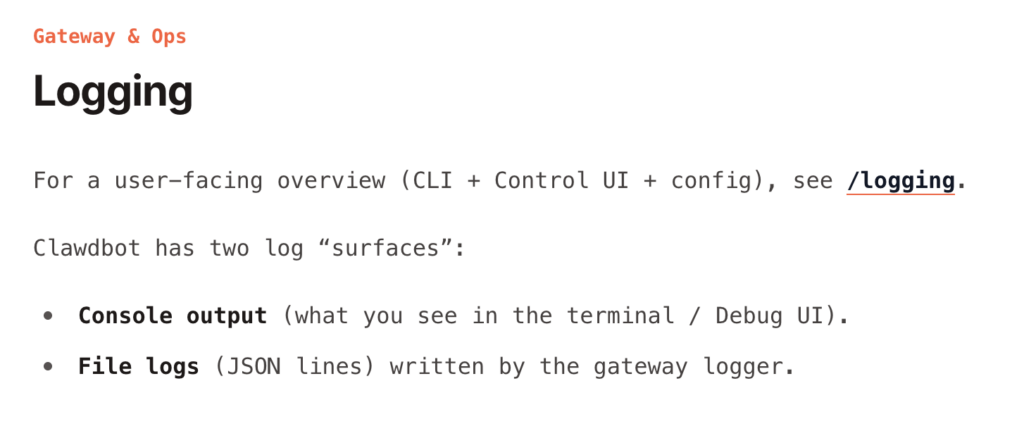
Turn on logs that capture interactions and high-level actions. Store logs in a safe place and monitor them for anomalies.
Step 9: Test safe approvals
Simulate actions that require manual approval. Confirm that workflows pause until you confirm.
Clawdbot has three Vitest suites (unit/integration, e2e, live) and a small set of Docker runners. This Clawdbot doc is a “how we test” guide:
- What each suite covers (and what it deliberately does not cover)
- Which commands to run for common workflows (local, pre-push, debugging)
- How live tests discover credentials and select models/providers
- How to add regressions for real-world model/provider issues
Step 10: Iterate and harden
As you use Clawdbot, tune permissions, remove unused skills, and rotate keys periodically.
Practical security checklist
Use this checklist as a living document. Add items as you harden your environment.
Initial setup
- Use a dedicated user account or VM for Clawdbot.
- Store secrets in a secure vault or environment store.
- Disable features you do not plan to use, such as browser automation.
Permissions
- Limit chat access to whitelisted users and rooms only.
- Block automatic posting to public channels by default.
- Require approvals for sensitive actions.
Network and hosting
- Do not expose control endpoints to the public internet.
- Use firewalls and allowlist IPs if remote access is required.
- Use SSH keys for server access, never passwords.
Model use and data handling
- Avoid sending sensitive personal data to external model APIs.
- Use local models for highly sensitive workloads.
- Log all prompt interactions and redact secrets.
Plugin and skill hygiene
- Review plugin source code before enabling.
- Use only trusted skill repositories.
- Run skills in sandboxed containers when possible.
Monitoring and response
- Enable audit logs and alerting for unusual actions.
- Regularly review logs for unexpected commands or outputs.
- Create an incident playbook for suspending the assistant and rotating keys.
User training
- Educate any team members who can interact with Clawdbot about appropriate requests.
- Make a list of action types that always require human confirmation.
When Clawdbot is a good idea and when it is not
Clawdbot is a Good fit:
- You want control over your data.
- You are comfortable with some system administration.
- You want automation that acts where you already communicate.
- You need a private assistant for sensitive workflows.
Clawdbot is not a good fit:
- You want a plug-and-play, zero configuration consumer app.
- You do not want to make decisions about permissions or security.
- You need an assistant for someone else and can not run it in a trusted environment.
Final thoughts on Clawdbot and recommended next steps
Clawdbot is an important step in the evolution of personal AI assistants. It moves the assistant from a separate site into the flow of everyday communication and gives you the control to choose how much power to give it. The trade off is responsibility. Running an agent that can act requires you to think like an operator for a few basic items: permissions, secrets, and approval gates.
If you want to move forward, here are practical next steps:
- Try a local install on a test machine and pair it with a single chat app you use privately.
- Keep powerful features like script execution turned off while you test.
- Install only one small skill and test interactions extensively.
- Build a short incident response plan so you can quickly shut down the service if needed.
FAQs on Clawdbot
What is Clawdbot AI?
Clawdbot AI is a self-hosted personal AI assistant that runs on your own computer or server. Unlike web-based AI chat tools, Clawdbot lives inside your messaging apps like WhatsApp, Telegram, Slack, or Discord. You talk to it the same way you talk to a person, and it can remember context, respond intelligently, and perform real actions such as sending messages, managing tasks, or triggering automations.
The key difference is control. With Clawdbot AI, you decide where it runs, which AI models it uses, and what data it can access.
Is Clawdbot open source?
Yes. Clawdbot is fully open source and its code is available on GitHub. This means anyone can inspect how it works, contribute improvements, or customize it for their own needs. Being open source also makes it easier for security-conscious users to audit the code and understand exactly what the assistant is doing behind the scenes.
Do I need a Mac mini to run Clawdbot?
No. A Mac mini is not required. It is just a convenient option. You can run Clawdbot on many types of machines, including laptops, desktops, home servers, and cloud servers. The choice depends on whether you want Clawdbot to run all the time or only when your computer is on.
Can I run Clawdbot on a Mac mini?
Yes, Clawdbot on Windows is fully possible. You can run it on a Windows laptop, desktop, or Windows server. Some users choose Windows because it fits their existing setup or work environment. As long as the system meets the basic runtime requirements, Clawdbot on Windows works similarly to macOS or Linux.
The setup steps are nearly the same, although some commands may differ slightly depending on the Windows environment you use.
Is Clawdbot available for Linux?
The best places to learn more are:
The official Clawdbot website
The Clawdbot GitHub repository
Community discussions on developer forums
Setup guides and technical blogs
Is Clawdbot better than ChatGPT?
Clawdbot and ChatGPT serve different purposes. ChatGPT is an AI chat powered by OpenAI’s LLMs that works on web instantly with no setup. Clawdbot is a self-hosted assistant that integrates deeply into your workflows, messaging apps, and AI models of your choice. Clawdbot offers more control over which AI model to use and automation, while ChatGPT is a ready to use LLM with Chat interface.


