12 Best Automated Phishing Simulation Tools [2026 Guide]

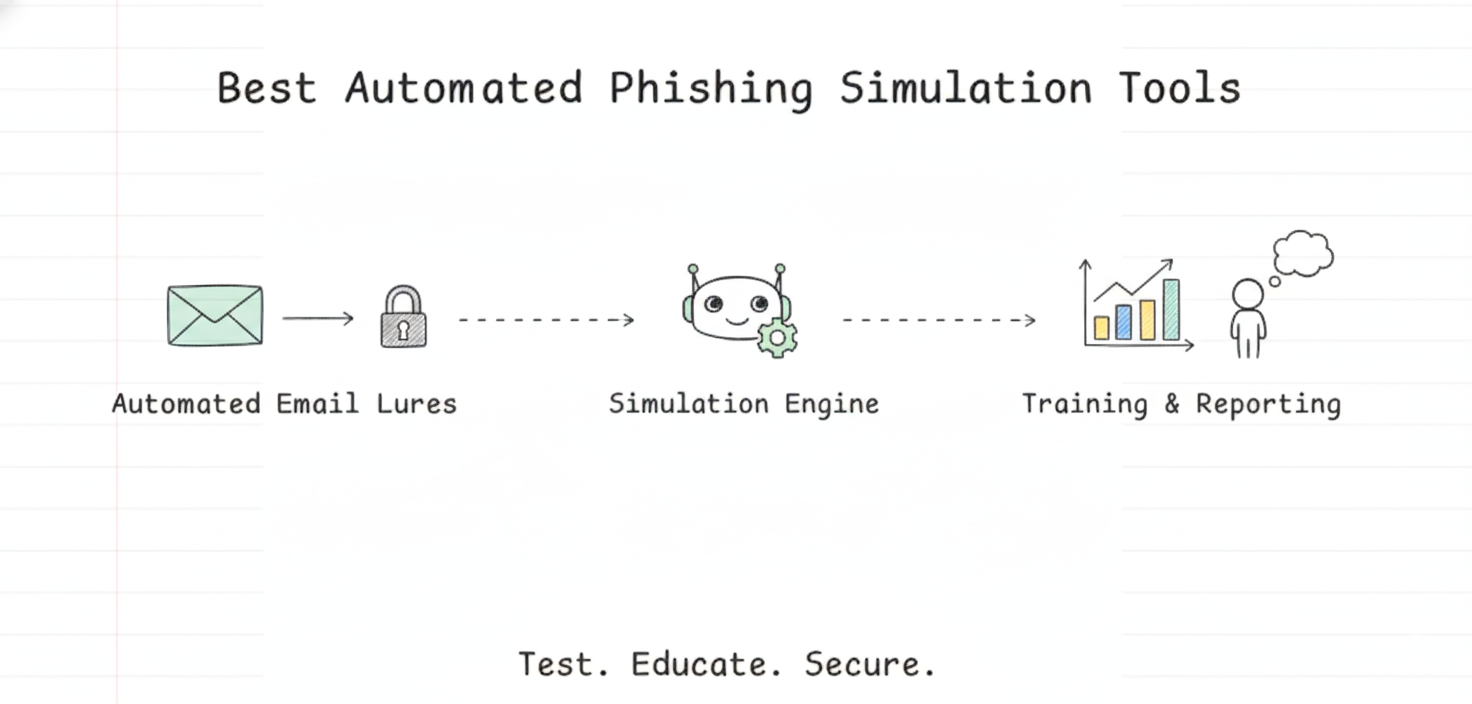
“Monthly Phishing Simulation” isn’t a real human risk strategy anymore. In 2026, cybercriminals who carry out phishing attacks don’t operate on a schedule, and they certainly don’t use static templates. We’ve entered the age of Agentic Threats, where offensive AI agents scrape your employee data, craft hyper-personalised lures, and execute campaigns at machine speed.
If your defence strategy still relies on manual spreadsheets or legacy tools that take hours of admin work to launch a single campaign, you’re already behind. Stop. Rethink. The modern standard is Automated Phishing Simulation. These “set and forget” platforms use AI to continuously test, train, and toughen your workforce against attacks that look and feel real because, in many cases, they’re generated by the same AI models attackers use.
At Hunto, we build an autonomous Phishing Simulation Agent, so we have a stake in this category. This guide covers it alongside eleven other tools so you can find the right fit for your maturity level.
Disclosure: Hunto publishes this guide. We’ve included our own product and noted where others fit better. PhishGrid (#12 below) is a Hunto company.
What are the best automated phishing simulation tools in 2026?
The best automated phishing simulation tools in 2026 use AI-generated lures, continuous testing and point-of-failure training instead of static templates and monthly blasts. The top picks by use case are:
- Hunto AI (our product), best for fully autonomous, zero-touch human risk management.
- Hoxhunt, best for behaviour change through gamification.
- Phished.io, best for hands-off AI content generation.
- KnowBe4, best for content variety and compliance-heavy industries.
- Proofpoint Security Awareness, best for threat-intelligence-driven simulations.
- Cofense, best for tying simulations into the SOC.
AI phishing detection tools: a different job from simulation
Looking for phishing detection, not simulation? AI phishing detection tools find and stop real phishing: they scan inbound email, links and websites, and quarantine or block what they judge malicious. Simulation tools, which the rest of this guide reviews, send safe fake phish to your own staff to measure and train them. Most security teams need both, and they are bought separately.
| Phishing detection tools | Phishing simulation tools | |
|---|---|---|
| What they act on | Real attacks from outside | Your employees, with safe test emails |
| Main output | Blocked or quarantined emails, link warnings, removed sites | Click and report rates, targeted training |
| Who runs them | Email and SOC teams | Security awareness owners |
| Success looks like | Fewer phish delivered, faster removal | More people report, fewer click |
Five kinds of AI phishing detection tool
We opened each vendor’s own site on 8 October 2026 to confirm what it says the product does. These are categories with examples, not a ranking, and the examples are not endorsements.
- Built-in mailbox protection. Your email platform’s own layer, often the first one to tune. Example: Microsoft Defender for Office 365, which Microsoft calls the primary email and collaboration security solution for Microsoft 365, with Safe Links and Safe Attachments in Plan 1 and Plan 2.
- API-based AI email security. Connects to Microsoft 365 or Google Workspace by API and models normal sender and user behaviour to catch phishing and business email compromise that gateways miss. Examples: Abnormal AI (behavioural AI for email, identity and AI security) and Ironscales (phishing, account takeover and deepfakes, through a native API).
- Reported-phish triage and campaign removal. Takes what employees report, classifies it, and pulls every copy of the same campaign from all inboxes. Example: Cofense, which pairs phishing-trained AI with human validation.
- Browser and URL reputation. Warns people before a known phishing page loads. Example: Google Safe Browsing, which is free and also offers a site status check for any URL.
- External phishing site and lookalike domain detection. Watches the internet, not your inbox, for fake sites, lookalike domains and fake profiles that use your brand, then gets them taken down. Examples: Netcraft and, our own product, Hunto Brand Intelligence with Hunto Takedown.
Two notes from running these programmes. Email filters only see what reaches your mail flow, so a phishing site aimed at your customers needs the external kind of detection and a takedown. And no detector stops attackers sending as your exact domain unless DMARC is at enforcement; Hunto DMARC Plus handles that part.
If simulation is what you came for, keep reading. PhishGrid, a Hunto company, is our simulation product for awareness teams: phishgrid.com.
What are Phishing Simulations?
Phishing simulations are a security practice where organizations send simulated malicious emails to their own employees to test awareness and response. The goal is to educate users and measure the effectiveness of security training, not to punish them for mistakes. It’s a controlled exercise. The aim is resilience.
Unlike a real phishing attack, a simulation is a safe training exercise. When an employee clicks a simulated link, they’re shown a learning opportunity, such as an educational landing page, not a compromised machine.
How Phishing Simulations Work?
A modern phishing simulation follows an automated lifecycle built to test and train employees continuously. It’s not about sending a fake email and seeing who clicks. It’s a closed-loop system. Testing, data collection, remediation.
The Phishing Simulation Lifecycle
-
Campaign Setup: It begins with defining the objective and scope. Are you testing the entire organization or a specific high-risk department like finance? The goal might be to reduce click rates, lower credential submission rates, or increase reporting rates.
-
Lure Creation: This is where modern tools diverge from legacy ones. Instead of picking from a static library of old templates, advanced platforms use AI to generate context-aware lures based on an employee’s role, department, and public information for maximum realism.
-
Execution: The platform then automates the delivery of these simulated phish. This isn’t a simple email blast; it can be staggered over days or weeks to mimic the unpredictable nature of real attacks and avoid office chatter that spoils the test.
-
User Interaction & Data Collection: When a user interacts with the email, the system tracks key metrics. Did they click the link? Did they enter credentials on the fake landing page? Or, ideally, did they use a reporting button to flag the email? We track click rates, compromise rates, and report times.
-
Remediation & Training: This is the key feedback loop. If a user clicks, they are immediately presented with ‘just-in-time’ training, a short video or a micro-learning module explaining the red flags they missed. Some platforms automatically enroll repeat-clickers into more intensive training courses.
Key Benefits of Phishing Simulations for Businesses:
These exercises have measurable impact on human risk. Real, quantifiable impact. The benefits show up directly in your ability to defend against real-world attacks.
-
Reduces Human Risk: The primary benefit is a measurable drop in risky behavior. Based on our experience, organizations can cut employee click-through rates by up to 90% within 12 months of running a continuous simulation and training program.
-
Strengthens Security Culture: Consistent simulations build a proactive mindset. Employees shift from potential victims to a human firewall. We measure this through a steady rise in phishing report rates, a key indicator of a healthy security culture.
-
Meets Compliance Mandates: Regular, documented phishing tests help satisfy security awareness training requirements across major frameworks. That covers PCI DSS for payment data, HIPAA for healthcare information, and ISO 27001 for information security management.
-
Provides Actionable Insights: Modern reporting tools pinpoint vulnerabilities with precision. You can identify high-risk individuals, see which departments are most susceptible (e.g., sales vs. engineering), and learn which attack types land most often. Sales. Finance. HR. That’s usually where it hurts most. Target intervention there.
What Makes a Phishing Simulation Automated or Agentic ?
Before listing the tools, it’s worth understanding the shift from “Automated” to “Agentic.” The terms aren’t interchangeable. They represent different levels of autonomy entirely.
Legacy automation from the early 2020s meant you selected a template, uploaded a CSV of users, scheduled the blast, and looked at a static report. Agentic automation is different. No constant hand-holding. The software acts as an autonomous operator, requiring virtually no human input after initial setup.
Manual vs. Automated vs. Agentic Simulation
|
Feature |
Manual Simulation |
Automated Simulation |
Agentic Simulation |
|---|---|---|---|
|
Lure Creation |
Manually selected from static library |
AI-suggested from dynamic library |
AI-generated, hyper-personalized lures |
|
Cadence |
Scheduled, one-off campaigns |
Scheduled, recurring campaigns |
Continuous, behavior-triggered |
|
Admin Effort |
High (hours per campaign) |
Low (minutes per campaign) |
Zero-touch (set and forget) |
An agentic platform goes beyond simple automation. It acts as an autonomous security analyst making its own decisions. It discovers employee data, analyzes real-world threat intelligence, crafts unique lures for each user, and adapts its strategy based on their behavior, all without a human operator logging in to configure campaigns. You need a tool that acts like a resident red teamer, not a survey machine.
Top 12 Automated Phishing Simulation Tools
1. Phishing Simulation Agent by Hunto AI
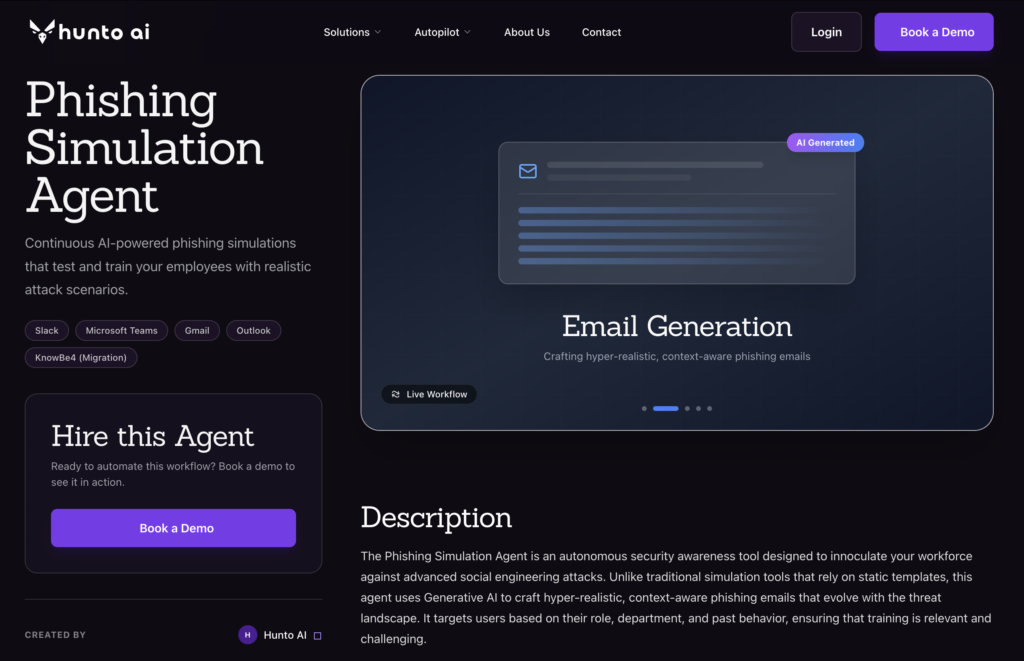
Best For: Organizations seeking fully autonomous, “zero touch” human risk management.
Hunto isn’t just a simulation tool. It’s an Agentic Cybersecurity Platform. The phishing simulation agent is built to take campaign setup and scheduling off the security team.
This agentic approach is a genuine departure from traditional, campaign-based simulations. Instead of periodic tests, Hunto provides a persistent, adaptive defense layer that trains employees continuously.
How It Works
The core of the platform is the AI agent. Think of it as an automated red teamer assigned to each employee. The agent performs open-source intelligence (OSINT) gathering to understand the company’s public footprint and each user’s specific role and context. It then crafts and delivers hyper-realistic phishing emails one by one, learning from every interaction.
If a user reports a simulation, the agent learns what they can already spot. If they click, it provides immediate, contextual micro-training and adjusts future simulations to reinforce the lesson. The result is a personalized, continuous training cycle that adapts to individual progress without any manual intervention. Set it up once. Done.
Key Features
-
Autonomous Lure Generation: The AI agent scans your organization’s public news, social media, and tech stack to generate context-aware phishing lures. No templates. Just bespoke attacks that mimic real-world threats.
-
Continuous Simulation: Hunto drops the campaign model for a persistent, low-and-slow approach. Simulations run continuously, so security awareness isn’t just a quarterly event.
-
Real-Time Feedback: When a user fails a simulation, they receive instant, point-of-failure training. Immediate correction beats delayed, generic modules every time.
-
Slack & Teams Integration: Feedback and micro-trainings land directly in the user’s workflow via Slack or Microsoft Teams. Higher engagement. Minimal disruption.
In our experience, this method drives rapid improvement. A 500-employee tech firm using Hunto’s agentic approach cut credential submissions in phishing tests by 85% within the first three months. That’s real movement.
Pricing
Hunto’s pricing is transparent. Plans start at $48 per user per year for the Phishing Simulation Agent. For full human risk management including dark web monitoring and brand protection, contact the sales team for enterprise pricing on the full Autopilot platform.
2. Hoxhunt
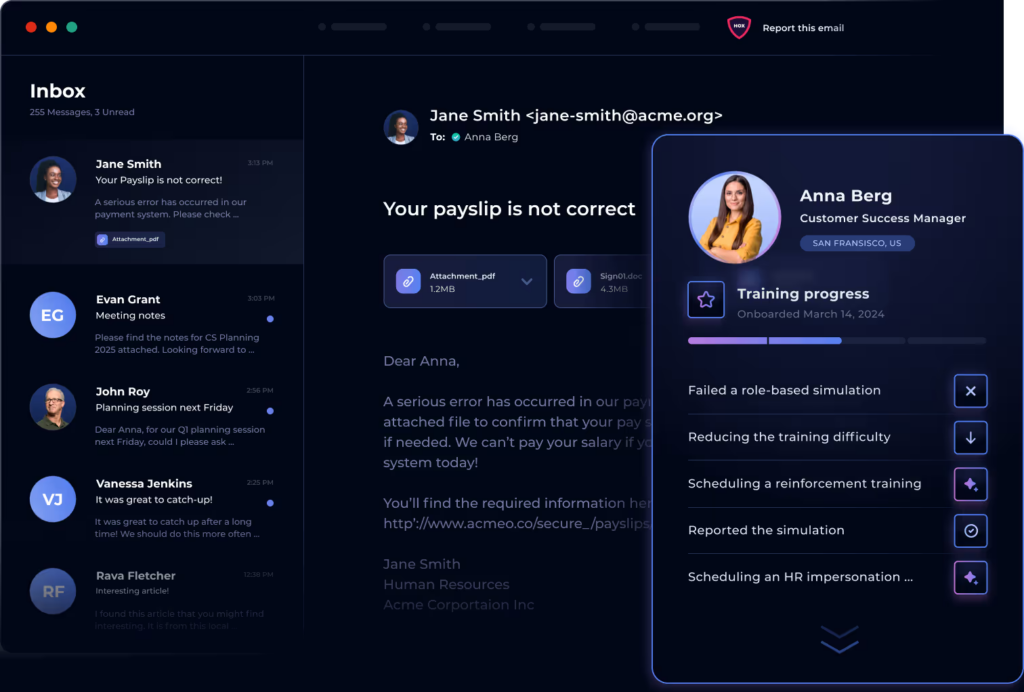
Best For: Driving behavioral change through gamification and positive reinforcement.
Hoxhunt is a human risk management platform that makes security training an engaging, positive experience for employees. Instead of testing and punishing failure, it gamifies threat reporting, turning users into active participants in the organization’s defense. Its AI-enabled engine delivers personalized micro-training moments that feel native to the user’s workflow.
The platform’s focus is culture. It rewards users with points and leaderboard status for identifying and reporting both real and simulated threats, creating a positive feedback loop. The adaptive learning engine analyzes user skill levels, ensuring simulations are challenging but not demoralizing. With strong multi-language support, Hoxhunt is a popular choice for global enterprises building a security-conscious culture from scratch. One note: teams wanting aggressive red-team-style testing might find it too gentle.
3. Phished.io
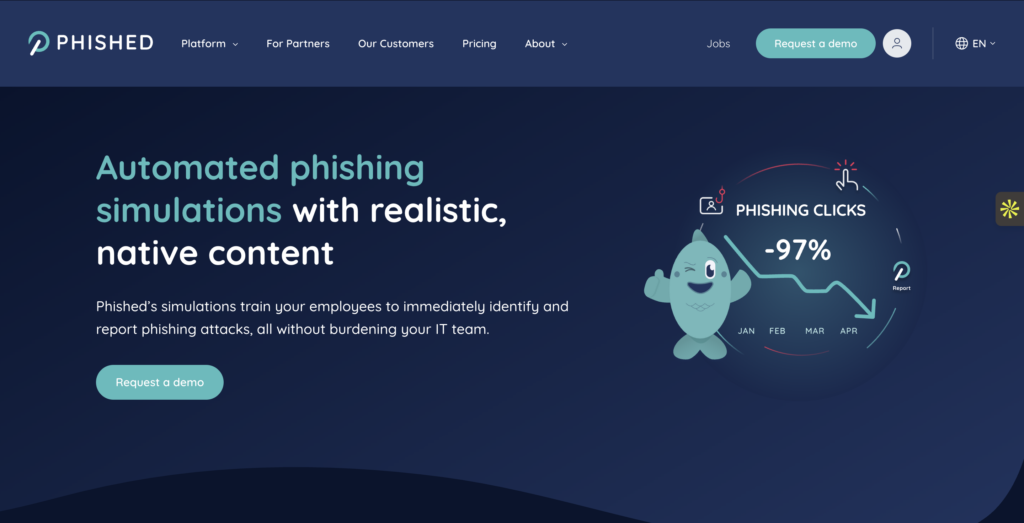
Best For: Automated, hands off content generation.
Phished.io was one of the early adopters of AI-driven content. Their platform emphasises “zero manual intervention.” The AI analyses threat trends daily to create new templates that mirror active campaigns in the wild.
Why it works:
-
Smart Scheduling: It determines the optimal time to send an email to a specific user to maximise the chance of engagement.
-
Checklist Free: There are no complex wizards to follow; the AI handles the campaign strategy based on the risk profile you define.
4. KnowBe4 (HRM+)
Best For: Content variety and compliance heavy industries.
As the market share leader, KnowBe4 offers the deepest training content library in the industry. Their HRM+ platform bridges the gap between legacy training modules and modern behavioral data. It’s thorough, if not always the most modern option.
Why it works:
-
Massive Library: Thousands of templates and training videos, including high production value series that keep users entertained.
-
SmartGroups: Allows for granular targeting of user groups based on behaviour, location, or role.
-
Brand Recognition: A safe choice for auditors and compliance officers who look for established names.
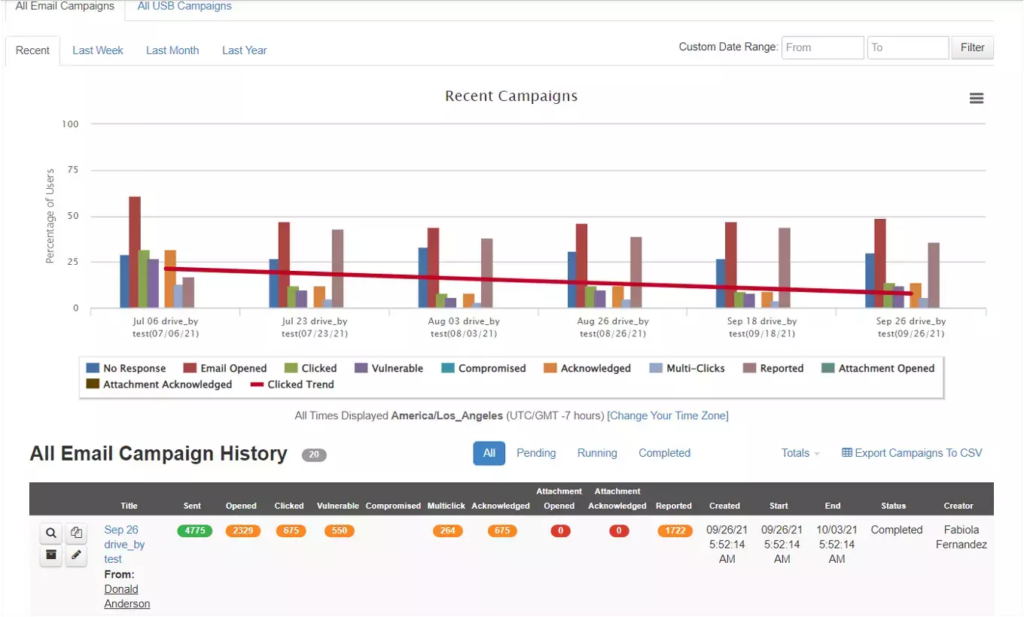
5. Proofpoint Security Awareness
Best For: Threat intelligence driven simulations.
Proofpoint uses its email gateway market (SEG) dominance to fuel its simulations. Because they see a vast share of the world’s email traffic, they can turn real attacks blocked by their gateway into simulations almost instantly.
Why it works:
-
VAP (Very Attacked People): Identifies and targets training toward the specific individuals in your company who are being targeted by real attackers.
-
Attack Spotlight: Turns trending global threats into training modules in near real time.
6. Cofense (formerly PhishMe)
Best For: Integrating simulations with the SOC.
Cofense focuses on “conditioning,” not just training. Their differentiator is the integration between simulation and the Security Operations Center (SOC). Employees become human sensors who can report active threats.
Why it works:
-
PDC (Phishing Defense Center): Validates user reported emails to separate real threats from simulations.
-
Incident Response: Feeds reported phishing simulations directly into the incident response workflow, training the SOC team alongside the general staff.
7. Ironscales
Best For: Integrated email security and simulation.
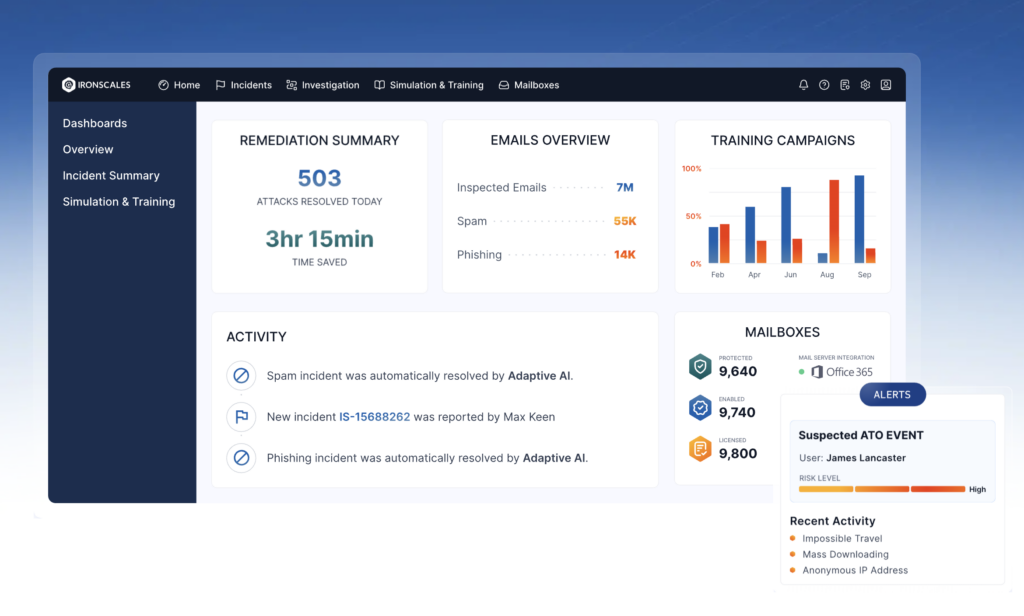
Ironscales combines protection and training in a single platform. It uses AI to detect inbox anomalies and applies that same intelligence to craft simulations.
Why it works:
-
Themis Co Pilot: An AI assistant that helps classify threats and suggests simulation scenarios.
-
In-Inbox Feedback: Users report phishing directly inside Outlook/Gmail, and the platform instantly analyses the message.
8. Arctic Wolf Managed Security Awareness
Best For: Organizations that want to outsource the entire process.
Arctic Wolf offers a “Concierge Security” model. Instead of a tool, they give you a service. Their team manages campaigns, analyses the data, and delivers the reports.
Why it works:
-
Microlearning: Focuses on short, digestible content sessions (often <3 minutes) to maintain attention.
-
Zero Admin: Ideal for lean IT teams that do not have the bandwidth to manage a simulation tool.
9. Mimecast Engage
Best For: High quality, humorous training content.
Mimecast (formerly Ataata) is well-known for recognising that boring training gets ignored. Their content uses humour and “sitcom style” videos to engage users, aiming to cut the “eye roll” factor of security training.
Why it works:
-
Watchability: Content that employees actually discuss at the water cooler.
-
CyberGraph: Graphs the relationship between users and external senders to customise risk scores.
10. Sophos Phish Threat
Best For: Existing Sophos Central users.
If you’re already in the Sophos ecosystem for firewalls or endpoint protection, Phish Threat is a logical addition. It’s managed from the same “Sophos Central” dashboard, which means consolidated reporting with no extra tooling.
Why it works:
-
Unified Console: Manage endpoint, network, and email security training in one tab.
-
Synchronised Security: Can correlate a user’s simulation failure with their endpoint health status.
11. Infosec IQ
Best For: Deep customisation and role based education.
Infosec IQ offers deep features for organizations that want to tailor training to specific roles (e.g., developers vs. HR). It gives granular control over simulation templates and educational landing pages.
Why it works:
-
Workforce Scoring: Measures the “security culture” of the organization, not just click rates.
-
Need to Know: Delivers specialised modules for compliance standards like HIPAA, PCI DSS, and GDPR.
12. PhishGrid
Best For: Flexible, API driven simulation and learning.
Disclosure: PhishGrid is a Hunto company.
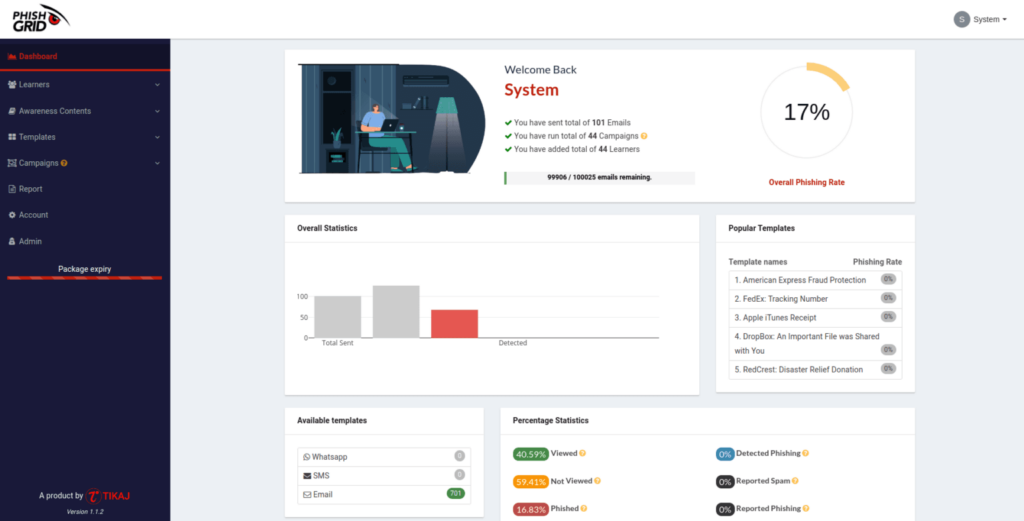
PhishGrid focuses on the intersection of simulation and interactive learning. It’s designed to analyse an environment’s maturity and offers a more modular approach to training, often used by service providers.
Why it works:
-
Real Time Simulation: Emphasises the immediacy of feedback loops during the simulation process.
-
Department-Level Reporting: Provides detailed analytics that allow teams to drill down into specific departmental vulnerabilities.
Comparison of Top Features:
|
Tool |
Best For |
Automation Level |
Supports Vishing? |
Supports Smishing? |
AI-Powered Lures? |
Automatic Remediation? |
Pricing Model |
|---|---|---|---|---|---|---|---|
|
Hunto AI |
Autonomous Operations |
Agentic |
Yes |
Yes |
Yes (Generative) |
Yes (Instant) |
Per User/Year |
|
Hoxhunt |
Gamification & Culture |
Automated |
No |
No |
Yes (Adaptive) |
Yes (Instant) |
Per User/Year |
|
KnowBe4 |
Content & Compliance |
Manual/Automated |
Yes |
Yes |
No (Templates) |
Yes (Scheduled) |
Tiered/Per User |
|
Proofpoint SAT |
Threat Intel Integration |
Automated |
Yes |
Yes |
No (Threat-based) |
Yes (Scheduled) |
Per User/Bundle |
|
Cofense |
Enterprise Threat Response |
Automated |
Yes |
Yes |
No (Threat-based) |
Yes (Scheduled) |
Per User |
|
IRONSCALES |
Integrated Email Security |
Automated |
No |
No |
Yes (Adaptive) |
Yes (Instant) |
Per Mailbox/Year |
|
Mimecast |
Email Security Suite |
Automated |
No |
No |
No (Templates) |
Yes (Scheduled) |
Per User/Bundle |
|
Phished.io |
AI-driven Training |
Automated |
No |
Yes |
Yes (Generative) |
Yes (Instant) |
Per User/Year |
|
Tessian |
Inbound Threat Defense |
Agentic (Defense) |
No |
No |
Yes (Behavioral AI) |
Yes (In-the-moment) |
Per User/Year |
|
GoPhish |
DIY & Pen Testers |
Manual |
No |
No |
No |
No |
Open-Source (Free) |
|
Infosec IQ |
Extensive Content Library |
Manual/Automated |
Yes |
Yes |
No (Templates) |
Yes (Scheduled) |
Per User/Year |
|
Sophos Phish Threat |
Endpoint Integration |
Automated |
No |
No |
No (Templates) |
Yes (Scheduled) |
Per User/Bundle |
How to choose phishing simulation software
The feature lists look alike across vendors. These questions separate phishing simulation software that changes behaviour from software that fills a compliance checkbox.
-
How are campaigns built? Check whether the tool personalises lures per employee or sends the same template to everyone. Ask how long it takes to launch one campaign after you set the goal.
-
What happens after a click? Look for immediate, short coaching at the moment of failure, not an email summary a week later.
-
Does it reach beyond email? If your staff are targeted through SMS, voice or messaging apps, a tool that only sends email covers part of the risk.
-
What does the reporting show? Report rates and time-to-report tell you more than click rates alone. A good tool also separates repeat clickers from first-time clickers.
-
How does it connect to your directory and mailbox? Check for sync with your identity provider, allow-listing that doesn’t need manual work each time, and a report button that feeds your SOC.
-
Does it respect your people? Ask about opt-outs, content limits (no fake bonus or layoff lures if that’s your policy), and who can see individual results.
-
What does it cost at your size? Ask for the price at your headcount, what is included in training content, and whether simulations and training are priced separately.
To see these questions applied to an AI-driven approach, read how Hunto’s AI phishing simulation builds and measures campaigns.
Why “Template Based” Phishing is Dead?
In the past, running a phishing simulation meant selecting a “Reset Password” template from a library and blasting it to everyone. In 2026, that approach fails for two reasons:
-
Polymorphism: Real attackers use AI to change the wording, subject, and sender of every email. A static template doesn’t prepare users for that variety.
-
Context: A generic “Package Delivery” email is easy to spot. An email referencing a specific LinkedIn post you made yesterday about a conference in Vegas is terrifyingly effective.
Tools like Hunto.ai and Phished.io use OSINT (Open Source Intelligence) to gather public data and craft lures that behave like real spear phishing. This “Red Teaming as a Service” approach gives a closer measure of actual risk than generic templates.
FAQs:
Do I really need AI for phishing simulations?
Yes. Absolutely. In 2026, using AI for phishing simulations isn’t optional if you want to keep pace with AI-driven attacks. Attackers now use generative AI to write flawless, context-aware emails at massive scale, making old template-based attempts obsolete. Your defense needs to match your adversary’s methods.
AI-powered simulation tools create more believable, personalized, and varied phishing lures. They can reference a user’s department, recent company news, or professional connections to build credibility. Compare that to static, easily recognized templates that only train employees to spot obvious fakes and you see the gap clearly.
How often should I run phishing simulations?
The most effective frequency is continuous. We’ve found that a constant, low-volume ‘drip’ is far superior to predictable monthly or quarterly campaigns that everyone comes to expect.
Mass-send campaigns create a ‘water cooler effect’ where employees simply warn each other, which invalidates the test. A continuous drip keeps every test independent. You measure genuine reflexes rather than office chatter, and your security team gets a steady stream of behavior data instead of one noisy spike each quarter.
Can these tools simulate deepfakes?
Some leading tools are starting to incorporate “vishing” (voice phishing) and deepfake elements. Hunto and Proofpoint are among the vendors working on multimodal threat simulation, preparing users for attacks that happen outside the inbox.
What is the best metric to track?
Stop tracking “Click Rate” alone. It’s a vanity metric. Focus on Reporting Rate (how many people reported the phish) and Mean Time to Report. A low click rate means nothing if nobody tells the SOC that an attack is in progress.
How do I get started with Hunto’s phishing simulation agent?
You can deploy Hunto’s phishing simulation agent in minutes. It integrates with Google Workspace and Microsoft 365 to start mapping your human risk profile right away. Check out our Customers page to see how other organisations are automating their human defence.
What is the difference between phishing simulation software and security awareness training?
Simulation tests behaviour with realistic messages. Awareness training teaches what to look for. Most platforms bundle both; the useful link between them is training delivered right after a failed simulation.
Which phishing simulation tool is best for a small team?
Pick the one that runs with the least admin work: automatic campaign scheduling, directory sync and built-in coaching. For a small security team, setup time and upkeep decide the outcome more than the size of the template library.
Conclusion
The goal of phishing simulation isn’t to trick employees. It’s to build reflexive muscle memory for threat detection. In 2026, that requires tools that are as dynamic and intelligent as the threats themselves. Whether you choose the massive library of KnowBe4, the gamification of Hoxhunt, or the autonomous approach of Hunto.ai, start now.
The adversary is automated. Your defence must be too.
How this was checked
Written with AI assistance and edited by Madhurendra Sachan. Vendor details in the AI phishing detection section were checked on each vendor’s own site on 8 October 2026. Hunto sells products in both categories and says so where they appear. Our sources policy is on the research methodology page. Found an error? Tell us through the contact page; corrections go in the update log below.
Updates
- 8 October 2026: added the AI phishing detection tools section (what detection tools do, how they differ from simulation, five categories with examples checked on vendor sites) because many readers arrive looking for detection, not simulation.
