OpenClaw (Clawdbot / Moltbot): What It Is & Setup Guide

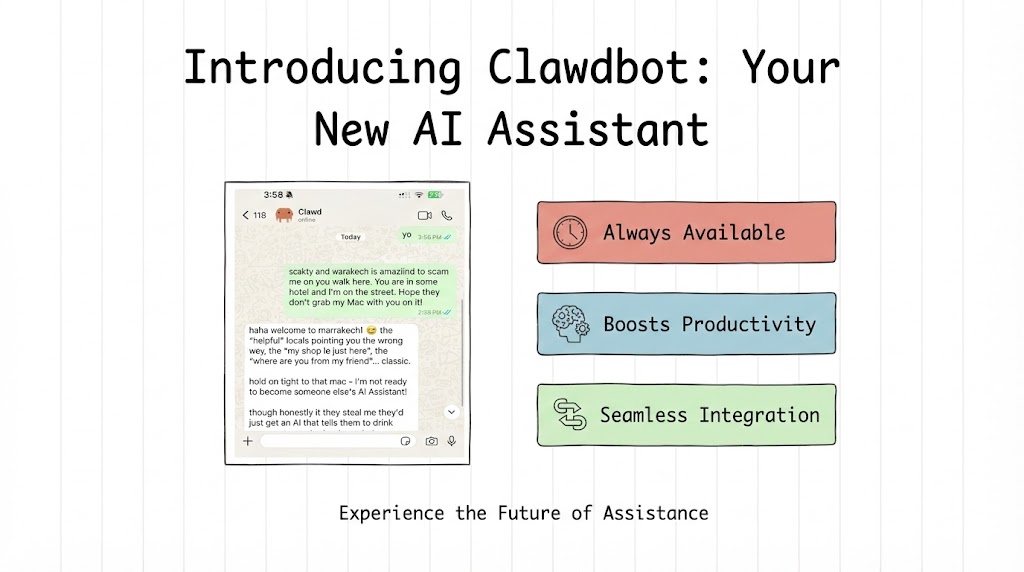
If you’ve been following developer chats, Hacker News, or the AI forums, you’ve probably run into OpenClaw (formerly Moltbot, Clawdbot). People are calling it a practical, action-taking assistant that lives where you already communicate.
In this guide on OpenClaw (previously Moltbot or Clawdbot), I’ll explain what it is, why it suddenly matters, how it works, the top use cases, the security trade-offs, and a clear step-by-step setup. I’ll also give you a practical security checklist so you can run Clawdbot safely.
What is OpenClaw (Moltbot/Clawdbot)?
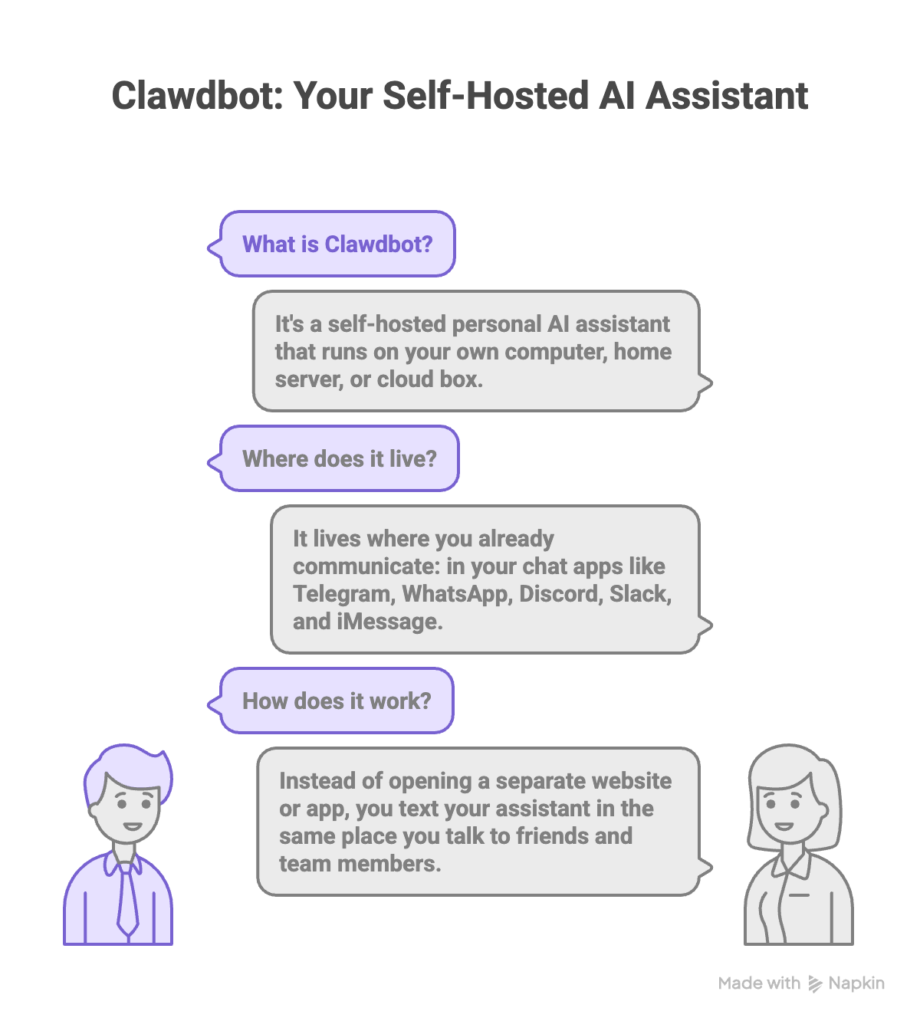
Clawdbot is a self-hosted personal AI assistant. Your machine. Your rules. You run it on your own computer, home server, or cloud box. It sits inside the chat apps you already use: Telegram, WhatsApp, Discord, Slack, iMessage, and others. No separate website. No vendor lock-in. You just text your assistant the same way you’d text a colleague.
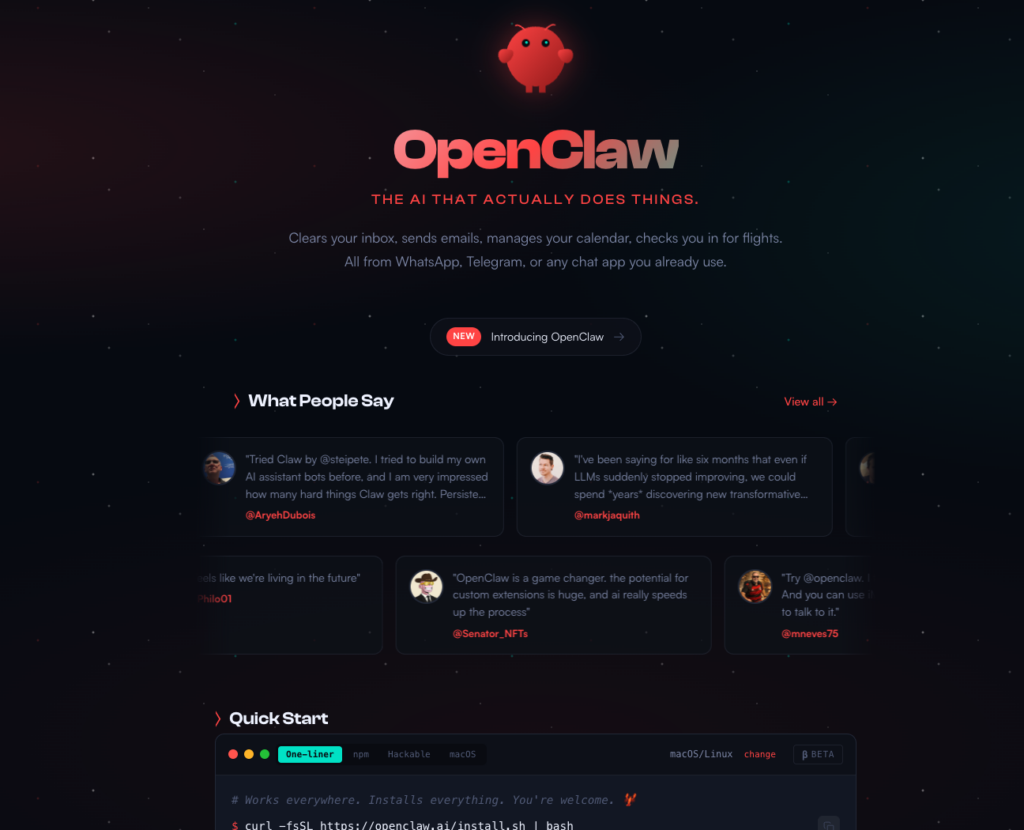
It’s built to act, not just respond. Clawdbot can send messages, schedule reminders, triage email, run scripts on your machine if you grant that permission, and automate the tedious repetitive stuff. It keeps context across sessions, so you don’t have to re-explain yourself every time. Open source. Auditable. That mix of control, integration, and action is what makes it worth paying attention to.
Clawdbot Features
- 📱 WhatsApp Integration: Uses Baileys for WhatsApp Web protocol
- ✈️ Telegram Bot: DMs + groups via grammY
- 🎮 Discord Bot: DMs + guild channels via channels.discord.js
- 🧩 Mattermost Bot (plugin): Bot token + WebSocket events
- 💬 iMessage: Local imsg CLI integration (macOS)
- 🤖 Agent bridge: Pi (RPC mode) with tool streaming
- ⏱️ Streaming + chunking: Block streaming + Telegram draft streaming details (/concepts/streaming)
- 🧠 Multi-agent routing: Route provider accounts/peers to isolated agents (workspace + per-agent sessions)
- 🔐 Subscription auth: Anthropic (Claude Pro/Max) + OpenAI (ChatGPT/Codex) via OAuth
- 💬 Sessions: Direct chats collapse into shared
main(default); groups are isolated - 👥 Group Chat Support: Mention-based by default; owner can toggle
/activation always|mention - 📎 Media Support: Send and receive images, audio, documents
- 🎤 Voice notes: Optional transcription hook
- 🖥️ WebChat + macOS app: Local UI + menu bar companion for ops and voice wake
- 📱 iOS node: Pairs as a node and exposes a Canvas surface
- 📱 Android node: Pairs as a node and exposes Canvas + Chat + Camera
Why is Clawdbot suddenly everywhere?
Clawdbot didn’t win on marketing. No ad budget. No hype campaign. It spread because it solves a real problem in a new way.
Peter Steinberger, the creator, co-founded PSPDFKit (now nutrient.io), is prominent on GitHub and X (@steipete), and has been an active voice in AI development. Decades of engineering experience combined with agent-driven workflows gives the project credibility.
Here’s why it climbed fast.
- It lives where people already communicate.
Most AI tools ask you to adopt new apps or new habits. Clawdbot fits into your existing chat workflow, which makes it easier to use every day. - It does real work, not just chat.
Beyond answering questions, Clawdbot can act: it can send an email, schedule a meeting, create a reminder, or trigger an automation. People find that actionability changes the value of the assistant. - It is self-hosted and privacy minded.
For anyone who cares about sensitive data, the fact that you control where the assistant runs and what it can access is a major draw. - It is open and extensible.
There is a community building skills and integrations. That means new capabilities arrive fast and you can customize behavior. - Social proof and demos.
As people shared screenshots and stories of practical tasks Clawdbot did, attention grew quickly. Developer communities picked it up, then wider tech writers and social posts followed.
Useful. Private. Already where you are. That’s the sweet spot Clawdbot landed in.
How does Clawdbot work? A simple, practical explanation
Three parts. That’s it. Clawdbot has three parts: the control layer you run, the AI models it calls, and the integrations that let it interact with apps.
- Control layer
This is the process or daemon running on your machine or server. It receives messages from configured chat apps, decides what to do, keeps memory, and dispatches actions. Think of it as the assistant’s brain. - AI models
Clawdbot doesn’t force you into one provider. You can connect it to hosted services like OpenAI or Anthropic, or run models locally on your own hardware. The control layer sends prompts, gets answers back, and maps those answers to actions. - Integrations and tools
These are the connectors or channels that let Clawdbot speak and act in the real world. Integrations include messaging bridges (WhatsApp, Telegram, Slack), email and calendar hooks, browser automation, script runners, and plugin systems for custom skills.
How messages flow in a typical interaction
- You send a message in WhatsApp that mentions the assistant.
- The messaging bridge forwards that message to the control layer on your machine.
- The control layer decides whether to pass the text to the AI model, consult memory, or run a local skill.
- The AI model returns text or structured instruction.
- The control layer either replies in chat or executes a permitted action, such as scheduling an event or running a script.
You decide. Because the control layer and integrations run where you choose, you control how much power to grant the assistant.
Top use cases for Clawdbot
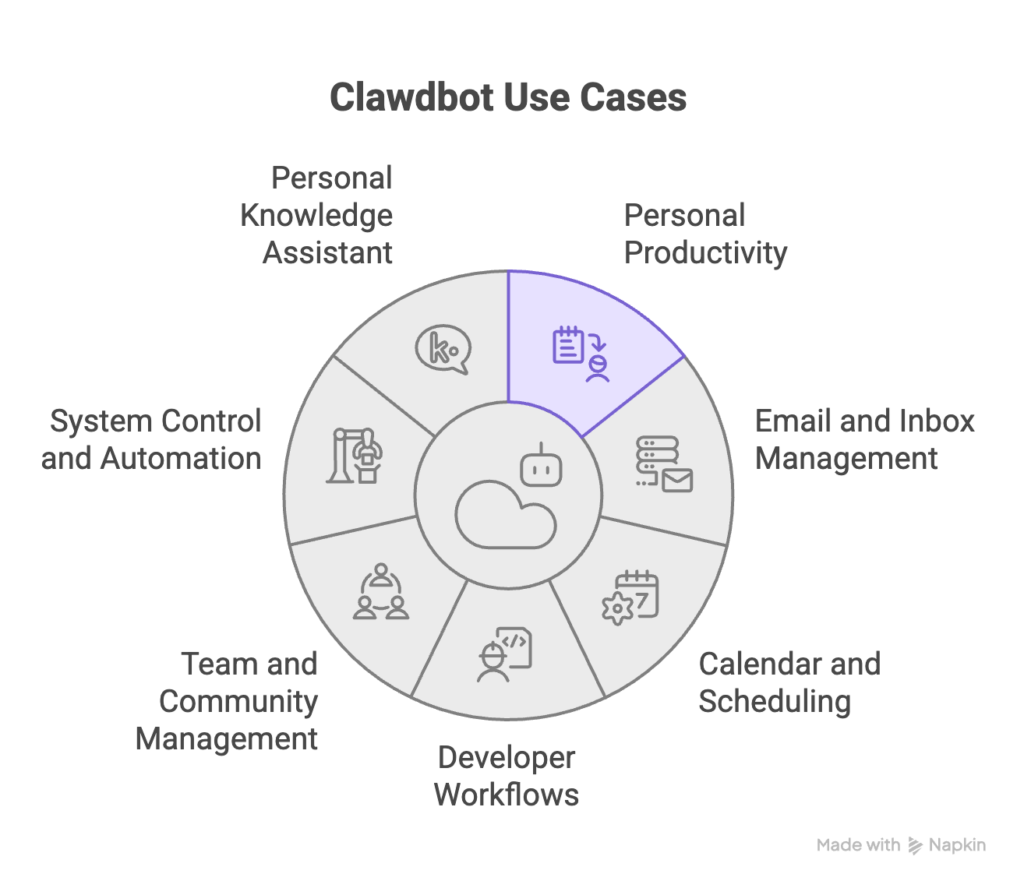
Clawdbot fits many needs. Here are the most common ways people actually use it. Some of these will surprise you.
Personal productivity
- Daily briefings and to do reminders.
- Quick notes or searchable personal snippets.
- Short research summaries or links saved to a personal knowledge base.
Email and inbox management
- Draft replies on your behalf for approval.
- Sort and label emails, and surface only the important ones.
- Automated cleanup of newsletters or low priority mail.
Calendar and scheduling
- Create and accept meeting invites.
- Find free time and propose slots.
- Remind you with contextual messages.
Developer workflows
- Notify team channels when a deploy completes.
- Create or triage GitHub issues from chat.
- Run diagnostic commands and report results back to chat.
Team and community management
- Auto respond to common questions in a server or group.
- Post scheduled updates across multiple channels.
- Moderate discussions with configurable rules.
System control and automation
- Run local scripts (backup, data export) when you ask.
- Automate browser tasks such as filling forms or scraping pages.
- Trigger integrations with third party services based on patterns in chat.
Personal knowledge assistant
- Maintain long term memory of preferences and projects.
- Keep follow ups and next steps attached to conversations.
- Act like a persistent context layer so you do not have to remind the assistant each time.
New use cases appear quickly as the community adds skills. The real value isn’t chat. It’s action. When the assistant moves from answering questions to doing the work, that’s where time savings show up.
How Clawdbot architecture expands your attack surface
Power and risk go together. The assistant is powerful because it connects language understanding to real actions. That same capability creates new entry points attackers can exploit via phishing attacks or other methods.
What is an attack surface?
The attack surface is every way someone can interact with and influence your system. More integrations mean more surface. Each bridge, permission, and network endpoint adds to it.
Where Clawdbot adds risk?
Anyone who can send messages to the assistant is providing input. If you let it read group chat logs or public channels, a malicious user could craft messages aimed at tricking the AI or triggering actions you didn’t intend.
Web browsing and fetching
If Clawdbot can open web pages or fetch remote content, it may ingest untrusted text. That text can carry instructions designed to manipulate the AI into doing harmful things or revealing secrets.
Tool and script access
Script access is the biggest risk. Full stop. When Clawdbot can run commands, edit files, or talk to system services, a compromised assistant can escalate damage very fast.
Model-based risks
Prompt injection is subtle but real. A prompt injection is attacker-controlled text that tells the model to ignore its previous instructions or reveal sensitive data. Models follow instructions. That’s the problem. Unfiltered web content fed directly to a model is asking for trouble.
Credential exposure
When Clawdbot connects to external services, it needs tokens or API keys. If those credentials are stored carelessly or leak via logs or chat messages, an attacker can abuse them without much effort.
Network exposure
Running Clawdbot on a server reachable from the internet, without proper protections, exposes the control plane to scanning and attacks.
Combined effect
These channels combine. A message in a public group could contain a link to a malicious page. If Clawdbot is allowed to fetch that link and the content holds a prompt injection, the assistant might be tricked into revealing an API key or running a local script. That’s how small weaknesses chain into larger breaches.
Cyber security implications of setting up and using Clawdbot
Clawdbot isn’t insecure by design. But it can act. That changes everything. Treat it the way a sysadmin treats any privileged tool. There are 350+ open issues on Clawdbot’s Github, which should raise concerns as of now for using it with data access and priviledges.
Here’s a complete guide on Moltbot Security that covers the publicly reported security issues and how you can mitigate them.
Here are the main implications and practical mitigations.
Principles to follow for Cybersecurity on AI Assistants
- Least privilege first
Only give Clawdbot the minimum access it needs. If it doesn’t need to write files, don’t allow file write. If it doesn’t need to run scripts, disable that feature. - Use manual approval for high risk actions
Require human confirmation for any action that modifies systems, sends messages to groups, or uses high privilege keys. - Separate duties and environments
Run Clawdbot for lower risk tasks on a machine that doesn’t hold your most sensitive keys or data. For critical automations, use a separate environment with stricter rules. - Audit and logging
Record what the assistant does. Logs help you spot anomalies and understand what happened when something goes wrong. Protect logs from tampering. - Rotate and protect credentials
Store API keys in secure stores and rotate them regularly. Avoid putting secrets in plain text config files or chat history. - Input sanitization and content handling
Treat external content as untrusted. Don’t automatically pass web content into model prompts without filtering and sanitizing first.
Detailed risk and mitigation checklist for AI Assistants
- Messaging exposure
Risk: A stranger can send a crafted message that triggers a harmful action.
Mitigation: Require pairing or approval for new chat contacts. Restrict the assistant to specific chats or whitelist users.
- Prompt injection from web content
Risk: Malicious web content manipulates the model to reveal data or execute actions.
Mitigation: Disable automatic browsing. Use strict content parsing and remove suspicious markers before consulting the model.
- Script and command execution
Risk: The assistant runs unsafe commands.
Mitigation: Put all executable actions behind a manual approval gate. Use containers or sandboxed environments for any script execution.
- Credential leakage
Risk: Keys exposed in logs or outputs.
Mitigation: Mask secrets in outputs. Do not print credentials to chat. Use vaults or environment stores for keys.
- Compromised model provider
Risk: Third party model provider is compromised and data is leaked.
Mitigation: Limit what data you send to hosted models. If you need to send sensitive data, prefer local models or encrypted channels.
- Network exposure
Risk: Running Clawdbot on an open server invites scanning and attack.
Mitigation: Use firewalls, require authentication, and avoid exposing control ports to the public internet.
- Social engineering inside team chats / Human Risk
Risk: Someone in your team account can ask the assistant to perform risky actions.
Mitigation: Implement role based limits. Require human approval for actions that affect many people or production systems.
- Supply chain risk from skills and plugins
Risk, Third party skills include malicious code.
Mitigation: Audit plugin source code before installing. Use signed or vetted skill repositories when possible.
Step-by-Step Guide to Set Up Clawdbot
Below is a detailed guide to get started with Clawdbot. Steps are intentionally generic so they apply across typical environments. Check project documentation for the latest exact commands if needed.
Step 1: Choose where to run Clawdbot
Decide whether to run on your laptop, a spare mini PC, a home server, or a small cloud VPS. A local machine is fine for learning. For 24/7 availability you’ll want a small cloud instance.
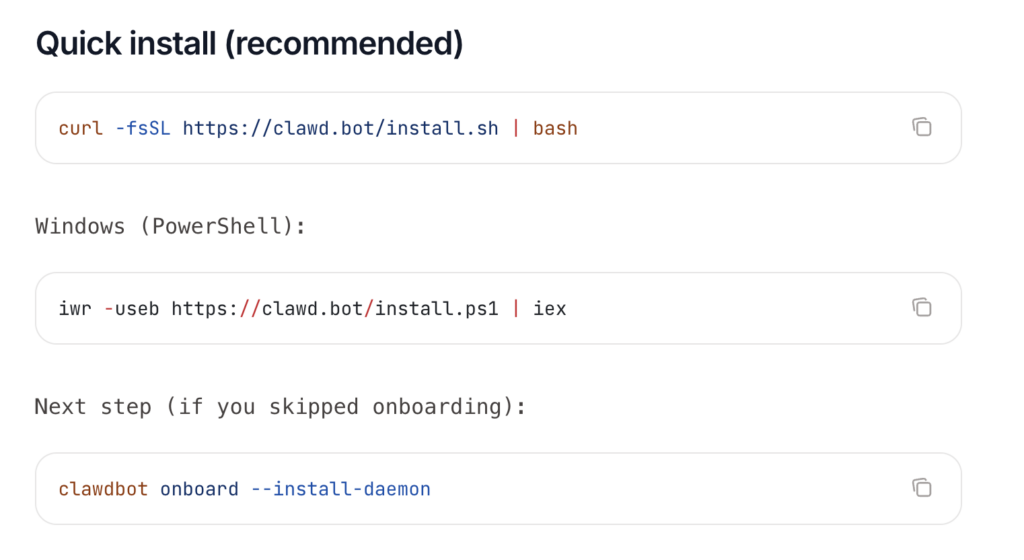
Step 2: Install runtime prerequisites
Make sure your environment has a recent Node or the runtime the project requires. Install git and any system dependencies listed in the project docs.
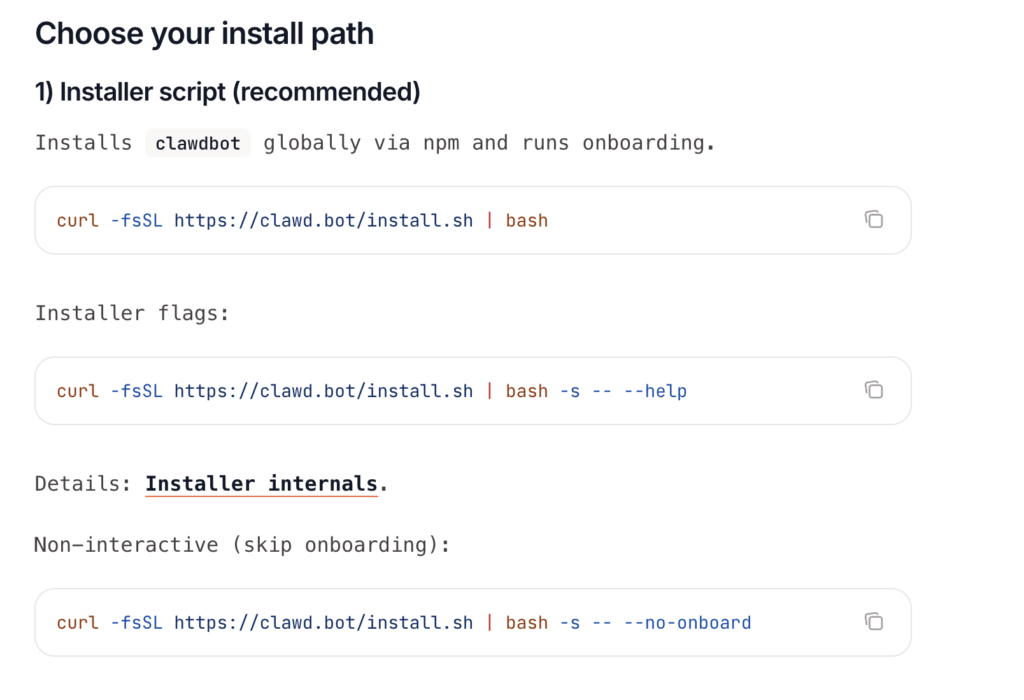
Step 3: Install Clawdbot
A common pattern is to use an installer or package manager to put the main control process on your system. After install, you’ll have a command line tool to manage the assistant.
Other install options
Step 4: Run the onboarding flow
Onboarding walks you through configuring the assistant, setting up storage for memory, and choosing which providers to use for models. You’ll add API keys for your LLM provider or select a local model here.
- Run onboarding:
clawdbot onboard --install-daemon - Quick check:
clawdbot doctor - Check gateway health:
clawdbot status+clawdbot health - Open the dashboard:
clawdbot dashboard
Step 5: Pair messaging apps
Follow the connector instructions to pair channel bridges such as Telegram or Slack. This typically involves scanning a QR code or going through a manual pairing process.
You can talk to Clawdbot on any supported chat app of your choice.
Quick Clawdbot WhatsApp setup (beginner)
- Use a separate phone number if possible (recommended).
- Configure WhatsApp in
~/.clawdbot/clawdbot.json. - Run
clawdbot channels loginto scan the QR code (Linked Devices). - Start the gateway.
{
  channels: {
    whatsapp: {
      dmPolicy: "allowlist",
      allowFrom: ["+15551234567"]
    }
  }
}
Step 6: Configure permissions and rules
Before enabling automations, set explicit rules about which chats the assistant can read or write to. Keep broad access to group chats off until you’re comfortable.
Step 7: Add skills intentionally
Install one or two skills you actually need. An email triage skill or a calendar skill is a good starting point. Test each one carefully with non-critical data before expanding.
Clawdbot uses AgentSkills-compatible skill folders to teach the agent how to use tools.
Step 8: Enable logging and monitoring
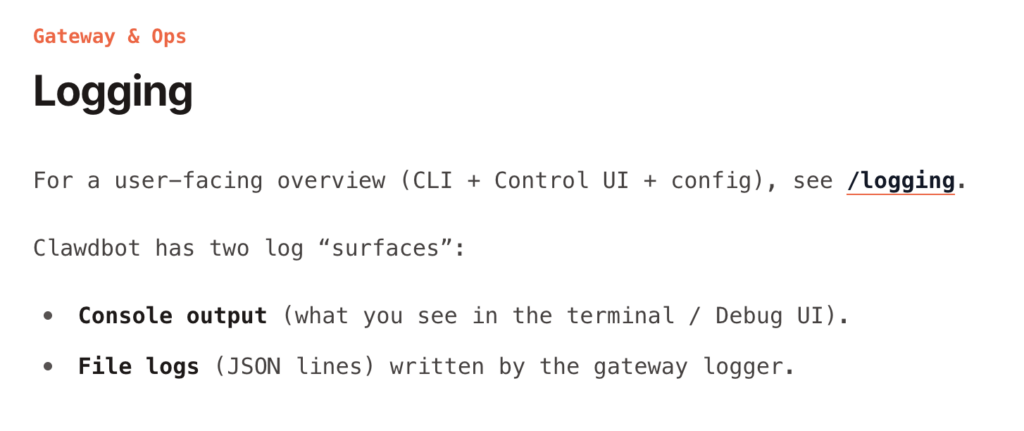
Turn on logs that capture interactions and high-level actions. Store them somewhere safe and check them for anomalies.
Step 9: Test safe approvals
Simulate actions that require manual approval. Confirm that workflows actually pause until you confirm.
Clawdbot has three Vitest suites (unit/integration, e2e, live) and a small set of Docker runners. This Clawdbot doc is a “how we test” guide:
- What each suite covers (and what it deliberately does not cover)
- Which commands to run for common workflows (local, pre-push, debugging)
- How live tests discover credentials and select models/providers
- How to add regressions for real-world model/provider issues
Step 10: Iterate and harden
As you use Clawdbot, tune permissions, remove unused skills, and rotate keys periodically.
Practical security checklist
Treat this as a living document. Add items as you go. Harden in layers.
Initial setup
- Use a dedicated user account or VM for Clawdbot.
- Store secrets in a secure vault or environment store.
- Disable features you don’t plan to use, such as browser automation.
Permissions
- Limit chat access to whitelisted users and rooms only.
- Block automatic posting to public channels by default.
- Require approvals for sensitive actions.
Network and hosting
- Do not expose control endpoints to the public internet.
- Use firewalls and allowlist IPs if remote access is required.
- Use SSH keys for server access, never passwords.
Model use and data handling
- Avoid sending sensitive personal data to external model APIs.
- Use local models for highly sensitive workloads.
- Log all prompt interactions and redact secrets.
Plugin and skill hygiene
- Review plugin source code before enabling.
- Use only trusted skill repositories.
- Run skills in sandboxed containers when possible.
Monitoring and response
- Enable audit logs and alerting for unusual actions.
- Regularly review logs for unexpected commands or outputs.
- Create an incident playbook for suspending the assistant and rotating keys.
User training
- Educate any team members who can interact with Clawdbot about appropriate requests.
- Make a list of action types that always require human confirmation.
When Clawdbot is a good idea and when it is not
Clawdbot is a Good fit:
- You want control over your data.
- You are comfortable with some system administration.
- You want automation that acts where you already communicate.
- You need a private assistant for sensitive workflows.
Clawdbot is not a good fit:
- You want a plug-and-play, zero configuration consumer app.
- You do not want to make decisions about permissions or security.
- You need an assistant for someone else and can not run it in a trusted environment.
Final thoughts on Clawdbot and recommended next steps
Clawdbot is a real shift. It moves the assistant out of a browser tab and into your everyday communication flow. The trade-off is responsibility. Running an agent that can act means thinking like an operator. Three things matter: permissions, secrets, and approval gates. That’s it. Not complicated, but it needs intention.
If you want to move forward, here are practical next steps:
- Try a local install on a test machine and pair it with a single chat app you use privately.
- Keep powerful features like script execution turned off while you test.
- Install only one small skill and test interactions extensively.
- Build a short incident response plan so you can quickly shut down the service if needed.
FAQs on Clawdbot
What is Clawdbot AI?
Clawdbot AI is a self-hosted personal AI assistant that runs on your own computer or server. Unlike web-based AI chat tools, Clawdbot lives inside your messaging apps like WhatsApp, Telegram, Slack, or Discord. You talk to it the same way you’d talk to a person, and it can remember context, respond intelligently, and perform real actions such as sending messages, managing tasks, or triggering automations.
The key difference is control. With Clawdbot AI, you decide where it runs, which AI models it uses, and what data it can access.
Is Clawdbot open source?
Yes. Clawdbot is fully open source and its code is available on GitHub. Anyone can inspect how it works, contribute improvements, or customize it for their own needs. Being open source also makes it easier for security-conscious users to audit the code and understand exactly what the assistant is doing behind the scenes.
Do I need a Mac mini to run Clawdbot?
No. A Mac mini is not required. It is just a convenient option. You can run Clawdbot on many types of machines, including laptops, desktops, home servers, and cloud servers. The choice depends on whether you want Clawdbot to run all the time or only when your computer is on.
Can I run Clawdbot on a Mac mini?
Yes, Clawdbot on Windows is fully possible. You can run it on a Windows laptop, desktop, or Windows server. Some users choose Windows because it fits their existing setup or work environment. As long as the system meets the basic runtime requirements, Clawdbot on Windows works similarly to macOS or Linux.
The setup steps are nearly the same, although some commands may differ slightly depending on the Windows environment you use.
Is Clawdbot available for Linux?
The best places to learn more are:
The official Clawdbot website
The Clawdbot GitHub repository
Community discussions on developer forums
Setup guides and technical blogs
Is Clawdbot better than ChatGPT?
Clawdbot and ChatGPT serve different purposes. ChatGPT is an AI chat powered by OpenAI’s LLMs that works on web instantly with no setup. Clawdbot is a self-hosted assistant that integrates deeply into your workflows, messaging apps, and AI models of your choice. Clawdbot offers more control over which AI model to use and automation, while ChatGPT is a ready to use LLM with Chat interface.
